Executive Summary
In October, the zLabs team first identified the ClayRat Android spyware, a malware capable of stealing SMS messages, call logs, capturing victim photos, initiating calls, and sending mass SMS messages to the victim's contact list.
Our continuous monitoring of this malware family has since uncovered a new variant with significantly upgraded capabilities. This updated ClayRat strain now leverages Accessibility Services in addition to exploiting Default SMS privileges. Misusing Accessibility services enables a range of actions, including:
- Keylogger to record pin/password/pattern and automatically unlock the lockscreen
- Screen recording using the MediaProjection API
- Places different overlays on top of victim screen such as system update overlay to avoid victim interaction
- Programmatic button-tapping to prevent the victim from easily powering down the device or uninstalling the malicious application.
- Creates fake custom notifications and steals the victim’s reply.
Together, these capabilities make ClayRat a more dangerous spyware compared to its previous version where the victim could uninstall the application or turn off the device upon detecting the infection.
The malware attempts to mimic a variety of legitimate entities, such as popular video and messaging platforms, as well as localized services, including Russian taxi and parking applications.
Similar to the previous variant, this malware was distributed through multiple channels. While phishing sites remain the primary distribution method, other platforms, such as Dropbox, have also been observed hosting the malware. To date, more than 700 unique APKs have been detected in a remarkably short timeframe.
Distribution Methods
The malware was observed actively hosting over 25 fraudulent phishing domains. Among these were sites impersonating platforms like YouTube and another mimicking a car scanner application, Car Scanner ELM, which is typically used for real-time monitoring, reading, and clearing of diagnostic data via a car's OBD2 port (Fig. 1).
Furthermore, the malware was using Dropbox, a cloud storage service recognized for its secure file management, synchronization, sharing, and remote access capabilities to distribute its malicious APK files.
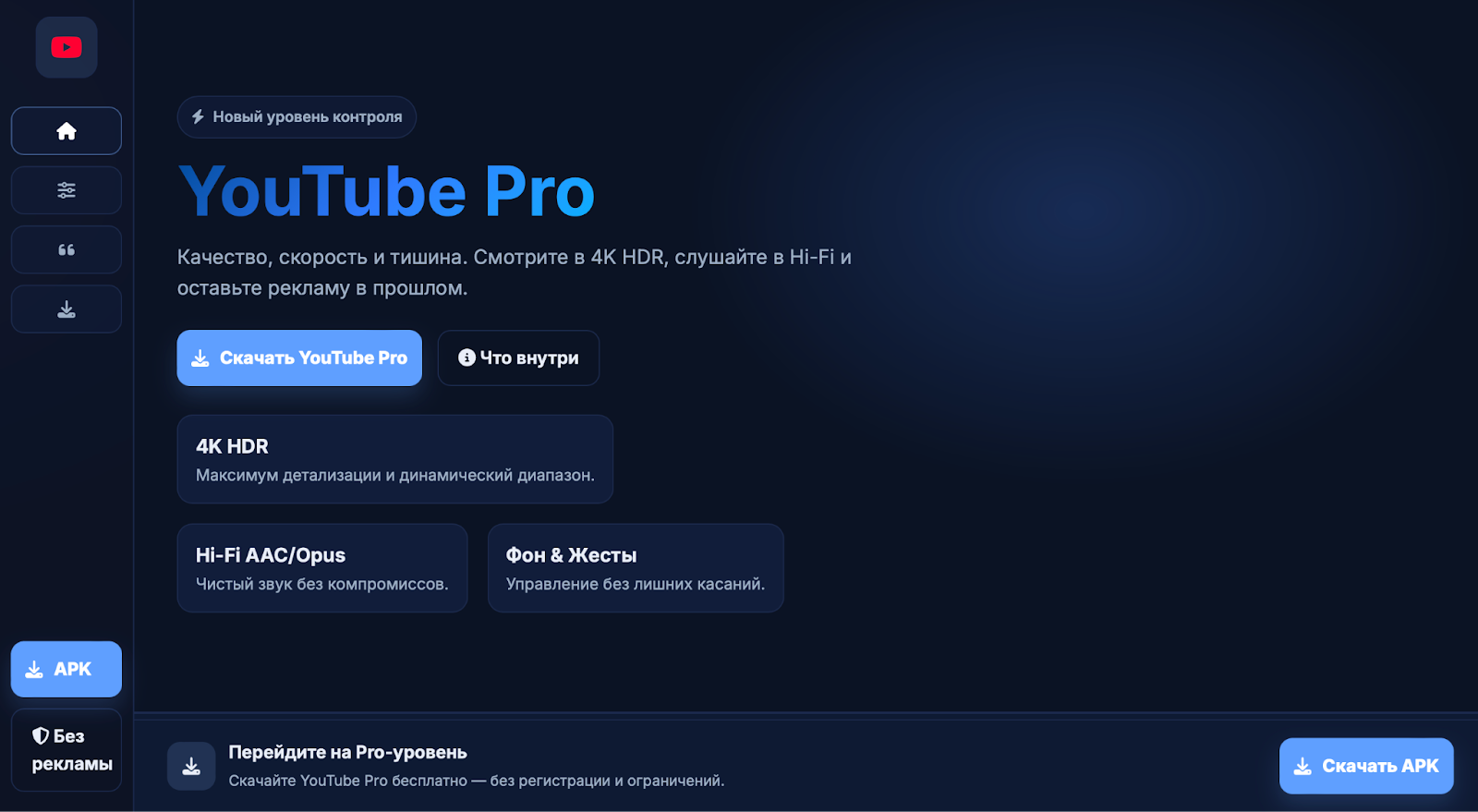
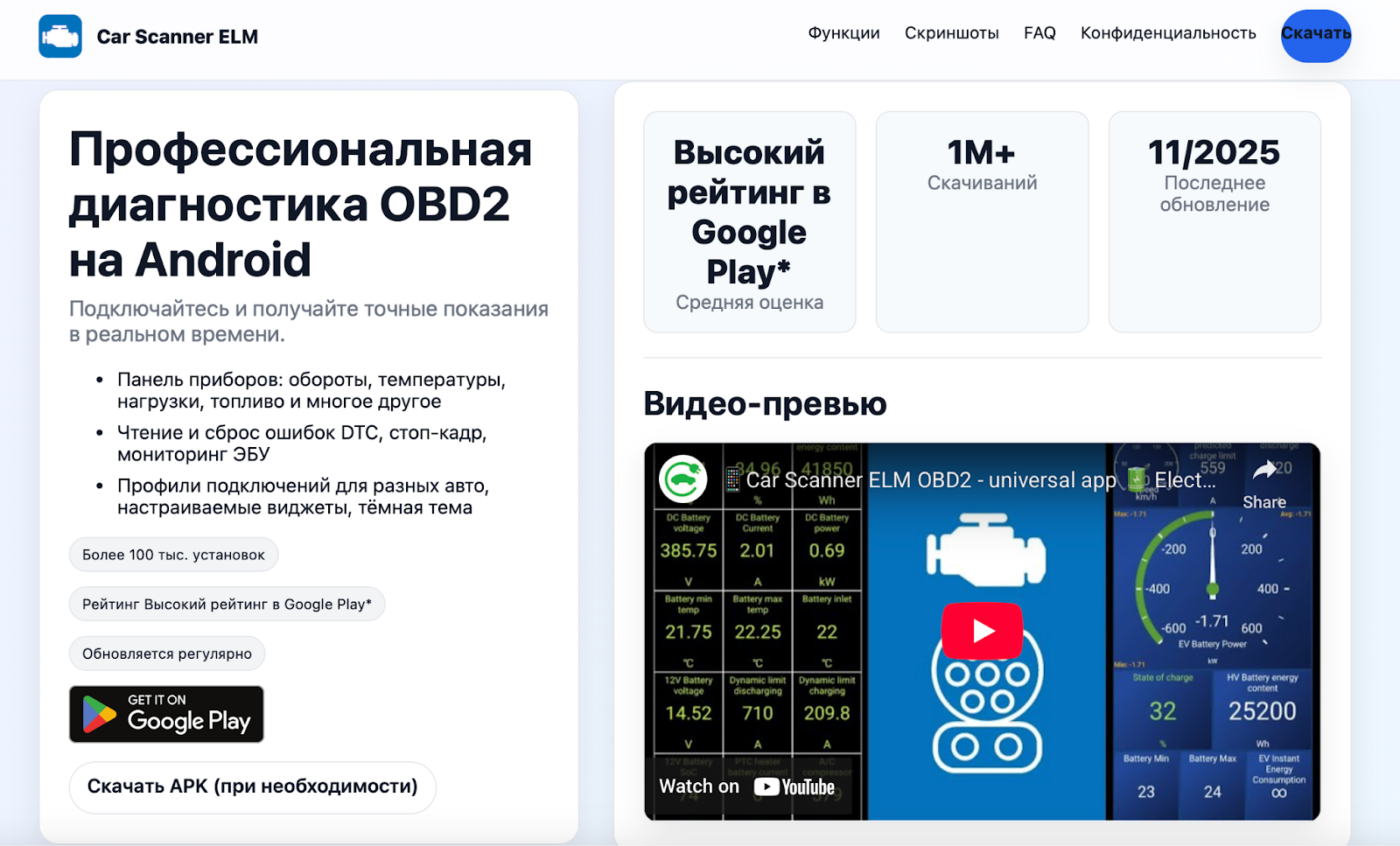
Fig. 1: Malware impersonating youtube and local connection stabilizer
Technical Analysis
The malware employs a dropper technique, like its predecessor, to bypass Android restrictions. The payload is stored in the assets folder (Fig. 2) in an encrypted format. During runtime, it uses AES/CBC decryption to unpack itself using a key embedded in the code itself.
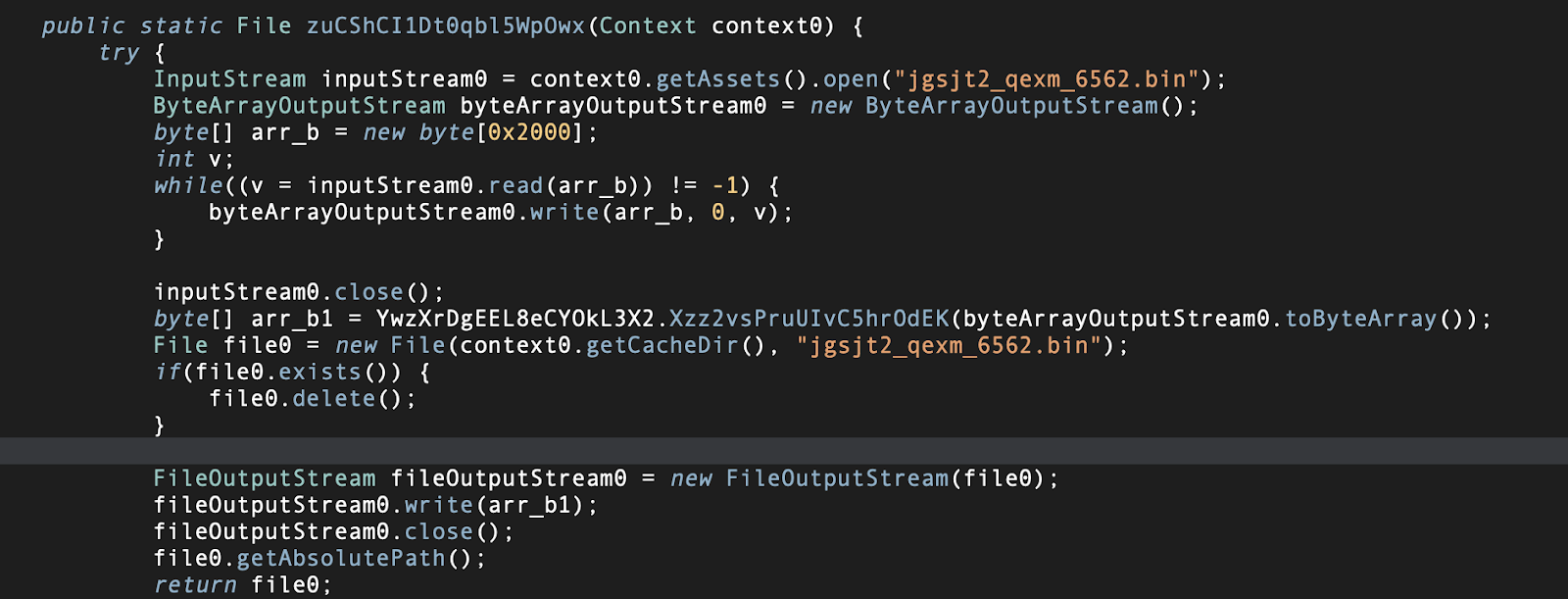
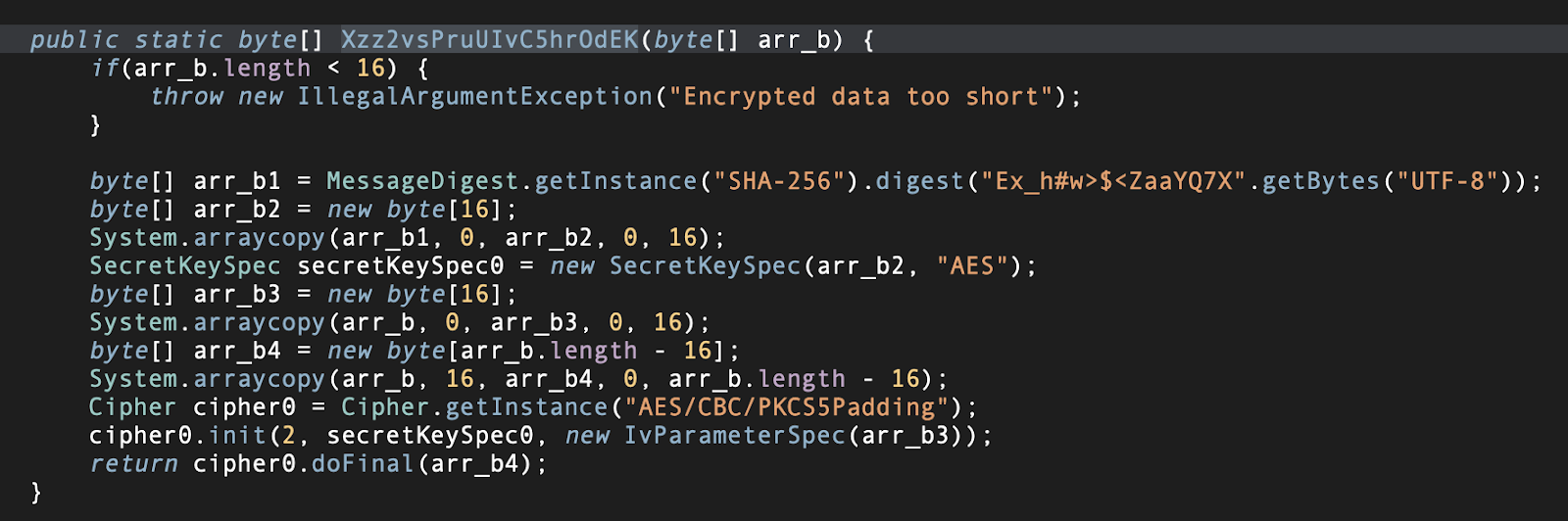
Fig. 2: Opening assets folder and using AES/CBC for decryption
ClayRat : Abusing Default SMS Privileges and Accessibility Services
The malware, as previously noted, exploits both default SMS privileges and Accessibility Services. Upon installation, it first prompts the victim to grant Default SMS permission. Once this is granted, the malware then directs the victim to enable the Accessibility Service permission (Fig. 3).
Once the necessary permissions are granted, the malware automatically disables the Play Store by executing a series of on-screen clicks without requiring any interaction from the victim. This is done to disable security protections enforced by Google Play Protect.
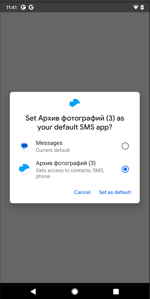
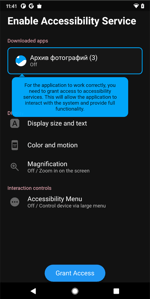
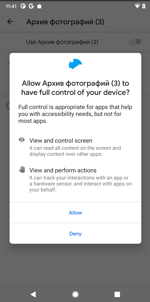
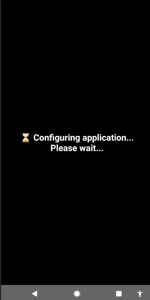
Fig. 3: Request for default SMS and accessibility permission
Stealing Lock Screen and Unlocking it Automatically
The malware is designed to steal the user's lock screen credentials: it achieves this by exploiting Accessibility Service events originating from SystemUI/Keyguard. The malicious code actively monitors all lock screen interactions, including button presses, text input, and pattern movements.
Specifically:
- PIN locks: The malware simply records the sequence of digits until the PIN entry is complete
- Password locks: It reconstructs the entered characters by analyzing changes in the password input field.
- Pattern locks: It captures the sequence of nodes touched to trace the pattern.
Once the PIN, password, or pattern is fully reconstructed, the malware stores it in SharedPreferences under the key lock_password_storage, along with the lock type and a timestamp. Subsequently, the stored credential is used with the auto_unlock command, which dispatches gestures to automatically unlock the device on the victim's behalf.
Screen Recording via MediaProjection API
When the malware receives the turbo_screen command, it initiates a screen capture pipeline using MediaProjection and an ImageReader. The screen is mirrored onto the ImageReader via a VirtualDisplay. A dedicated background thread processes each captured frame, typically by encoding or transmitting it. To maintain continuous capture, even when the application is not actively open, a ForegroundService is utilized.To achieve this, the malware begins using WebSocket, switching the transmission protocol accordingly. This behavior, along with the use of the ClayRemoteDesktop (Fig. 4) user agent
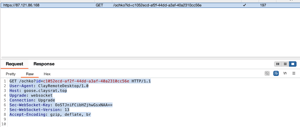
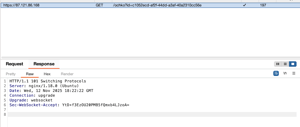
Fig. 4: Switching Protocols and upgrading to Websocket
Stealing Notifications Replies
The new ClayRat version 3.0.8 significantly expands its notification interaction capabilities. The spyware introduces two key functionalities:
- Fake Interactive Notifications: Upon receiving the send_push_notification command from the server, the malware can generate custom fake notifications. While it typically posts a static fake notification, in an "interactive" case, it can prompt the user for input. Any reply entered by the user is intercepted and exfiltrated to the server. The fact that this captured reply is treated as a password strongly suggests these notifications mimic legitimate target applications installed on the device, aiming to steal user credentials.
- Notification Harvesting: The spyware also includes commands designed to harvest active notifications present on the device, including both those that have not been dismissed by the user and all notifications in general.
Overlays Used by ClayRat
The malware, through the show_block_screen command, can display various overlays on top of the infected device’s screen. These overlays serve multiple purposes, ranging from hiding background activity from the user to stealing sensitive information such as the device’s PIN code:
- Black Overlay: A full-screen black layout.
- System Update / Battery Overlay: A non‑interactive overlay designed to conceal ongoing background actions (Fig. 5).
- PIN Overlay: An interactive layout that updates with each key press. Once the user enters the 4‑digit PIN (Fig. 5), the malware captures and exfiltrates it.
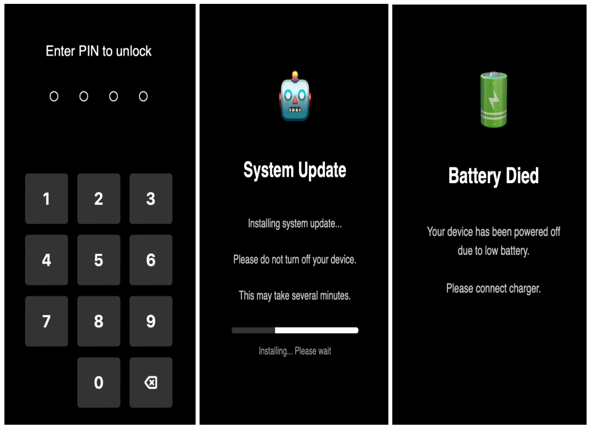
Fig. 5: Different overlay’s used by the spyware
Complete List of Commands Used by the Malware
The table below provides a comprehensive list of commands utilized by the malware, detailing their functions and the capabilities they enable on compromised devices.
|
Command |
Description |
|
auto_unlock |
Unlocks the device automatically with the stolen pin/password/pattern |
|
hide_block_screen |
Hides the layout screen presented |
|
input_text |
Place a text from JSON in a editable element from UI, if is not possible to find one or accessibility is not working, then copy it on the clipboard |
|
launch_app |
Launches a specific application from the received package name from the C2 |
|
press_back |
Simulates pressing the Back button |
|
press_home |
Simulates pressing the Home button |
|
press_recents |
Simulate opening the Recents screen |
|
screen_off |
Automatically opens the Quick Settings panel |
|
screen_on |
Turns the screen on using WakeLock |
|
screen_swipe |
performs an automated swipe gesture on the victim’s screen |
|
screen_tap |
performs a tap on the victim’s screen |
|
set_quality |
Get the "quality" value from the JSON. If it’s missing, use 60 as the default for image/video quality |
|
show_block_screen |
Shows a a set of different layout on top of victim’s screen |
|
stop_desktop |
Disconnects the vnc session |
|
turbo_screen |
Starts screen streaming via MediaProjection API |
|
unlock_device |
Turns on the screen if it’s off |
|
Command |
Description |
|
get_apps |
Sends list of installed applications to C2 |
|
get_apps_list |
Same as get_apps |
|
get_call_log |
Sends all call logs to C2 |
|
get_calls |
Same as get_call_log |
|
get_cam |
Takes a picture of the victim with using front camera and sends it to server |
|
get_camera |
Same as get_cam |
|
get_device_info |
Gets all device info including battery info, device model etc |
|
get_keylogger_data |
This command extract leak the following information:1.-LockPassword information about the pin to unlock the device 2.-App password using the Accessibility Service, look for on the UI any element that could be a password and store its value,package name, accessibility description of a view and hint message of an editable field |
|
get_proxy_data |
Dynamically fetch a proxy WebSocket URL, append device ID, and initialize some network/connection object, Converts HTTP/HTTPS to WebSocket, schedules periodic or delayed tasks |
|
get_push_notifications |
Steals all notifications active on the device and sends it to server |
|
get_sms |
Same as get_sms_list |
|
get_sms_list |
Gets list of SMS in the phone and sends to server |
|
input_text |
Place a text from JSON in a editable element from UI, if is not possible to find one or accessibility is not working, then copy it on the clipboard |
|
make_call |
Makes call from the victim’s device |
|
messsms |
Sends mass SMS to all the contacts present in the victim’s phone |
|
notifications |
Enable notifications_enabled sharedPreferences that would leak all the notifications that arise on the device via onNotificationPosted() |
|
retransmishion |
Resends an SMS, where the phone number is received from C2 |
|
screen_swipe |
Swipes the screen with x and y coordinates received from the server |
|
screen_tap |
Taps on the screen with the coordinates received from the server |
|
send_push_notification |
It is creating a fake custom notification, and stealing the user's reply. |
|
send_sms |
Sends SMS to a number |
|
start_desktop |
Launches a /VNC session on the victim device, using provided quality/mode settings, initializes screen capture threads, and begins transmitting the screen to the attacker. |
|
stop_desktop |
Disconnects the vnc session |
Zimperium vs ClayRat
Despite the significant expansion in ClayRat’s capabilities — including full device takeover through Accessibility abuse, automated unlock of PIN/password/pattern, screen recording, notification harvesting, and persistent overlays — Zimperium’s platform provides comprehensive, on-device protection against every stage of this attack chain.
Zimperium Mobile Threat Defense (MTD) detects all known ClayRat samples using its on-device dynamic detection engine. At the same time, Zimperium’s Mobile Application Runtime Protection (zDefend) safeguards enterprise apps against the same techniques ClayRat uses to steal data: detecting overlays, screen recording of sensitive app screens, sideloaded applications and devices compromised by malware using Accessibility Services.
Enterprises should be especially concerned about this campaign because ClayRat targets the very capabilities that corporate mobile workflows depend on: notifications, screen content, SMS flows, authentication prompts, and lock-screen interactions. A compromised device can hijack MFA codes, expose corporate credentials typed or displayed on the screen, enable remote surveillance of business applications, or allow attackers to impersonate employees by hijacking messaging channels. In BYOD environments, common across modern workforces, a single infected device can become a conduit for data theft, fraud, and unauthorized access to corporate systems.
As ClayRat continues to evolve, expanding its spyware, remote-control, and lock-screen manipulation capabilities, organizations require mobile security that operates at the device level and cannot be bypassed. Zimperium provides that layer of defense, ensuring that both employees and enterprise applications remain secure against even the most intrusive Android spyware families.
MITRE ATT&CK Techniques
|
Tactic |
ID |
Name |
Description |
|
Initial Access |
Phishing |
Adversaries host phishing websites |
|
|
Persistance |
Event Triggered Execution: Broadcast Receivers |
It creates a broadcast receiver to receive SMS events |
|
|
Defense Evasion |
Masquerading: Match Legitimate Name or Location |
Malware pretending to be apps such as Whatsapp,youtube etc |
|
|
Input Injection |
Malware can mimic user interaction, perform clicks and various gestures, and input data |
||
|
Obfuscated Files or Information: Software Packing |
It is using obfuscation and loads the dex runtime |
||
|
Credential Access |
Access Notifications |
The malware can harvest interactive notifications and active notifications |
|
|
Input Capture: Keylogging |
It has a keylogger feature |
||
|
Input Capture: GUI Input Capture |
It is able to get the shown UI. |
||
|
Discovery |
Software Discovery |
Malware collects installed application package list |
|
|
System Information Discovery |
The malware collects basic device info. |
||
|
Collection |
Access Notifications |
It registers a receiver to monitor incoming SMS messages |
|
|
Screen Capture |
Malware can record screen content |
||
|
Capture Camera |
Malware opens camera and takes pictures |
||
|
Call Control |
Malware can make calls |
||
|
Protected User Data: Call Log |
Malware steals call logs |
||
|
Protected User Data: SMS Messages |
Steals SMSs from the infected device |
||
|
Input Capture: Keylogging |
Malware can capture keystrokes |
||
|
Input Capture: GUI Input Capture |
It is able to get the shown UI. |
||
|
Command and Control |
Call Control |
TA can forward call from the device |
|
|
Web Service: Bidirectional Communication |
It uses websocket communication to poll the TA’s server and get the commands to execute. |
||
|
Exfiltration |
Exfiltration Over C2 Channel |
Sending exfiltrated data over C&C server |
|
|
Impact |
Call Control |
Malware can make calls |
|
|
Input Injection |
It displays inject payloads like pattern lock through overlay |
||
|
SMS Control |
It can read and send SMS. |
Indicators of Compromise
The full list of IOCs can be found in this repository.